Aggregate group of Items into another Item. This is useful if you are bundling a certain Items into a package and you maintain stock of the packed Items.
To Access:
Login to ERP > Desktop > Stock > Product Bundle
Create Product Bundle
- Go to Product Bundle
- Click Add Product Bundle
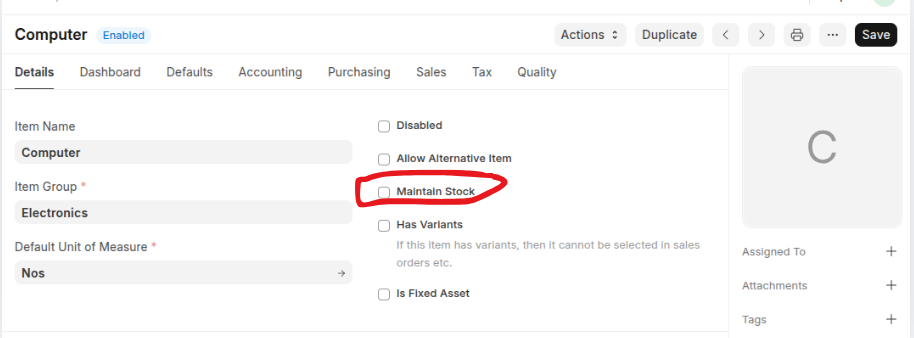
- Select a Parent Item, Parent Item must be non Stock, so unchecked maintan stock when creating a Parent Item.
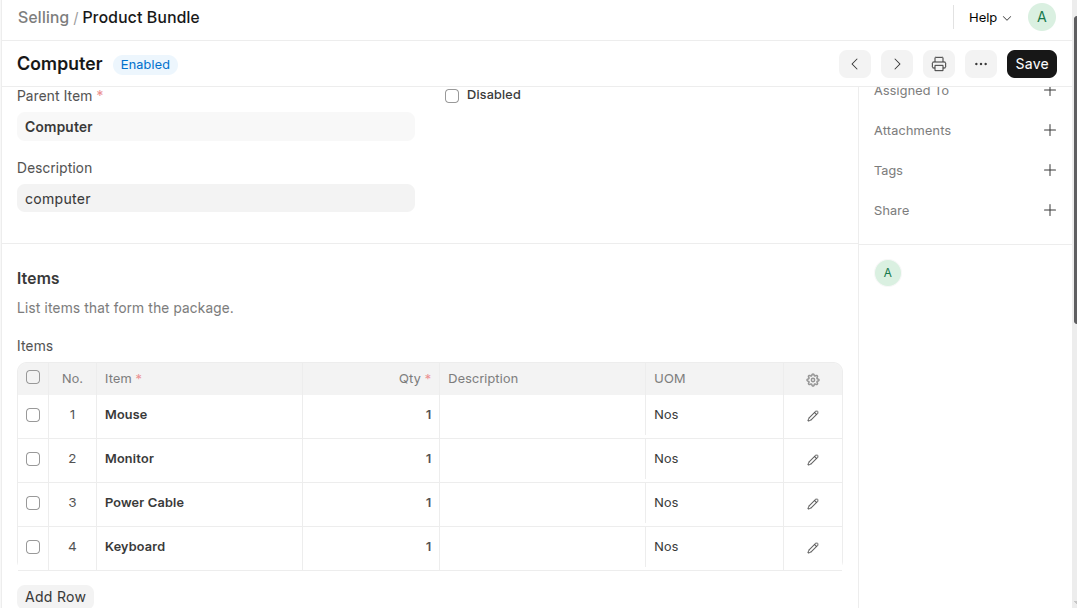
- Enter the products to be bundled in the Items table and enter their quantities.
- Save
Last updated 6 months ago
Was this helpful?