Employee Checkin records employee check-in and check-out times. It is used for attendance tracking, shift management, and working hours calculation.
To access Employee Checkin, go to:
Login > Desktop > Human Resources > Attendance > Employee Checkin
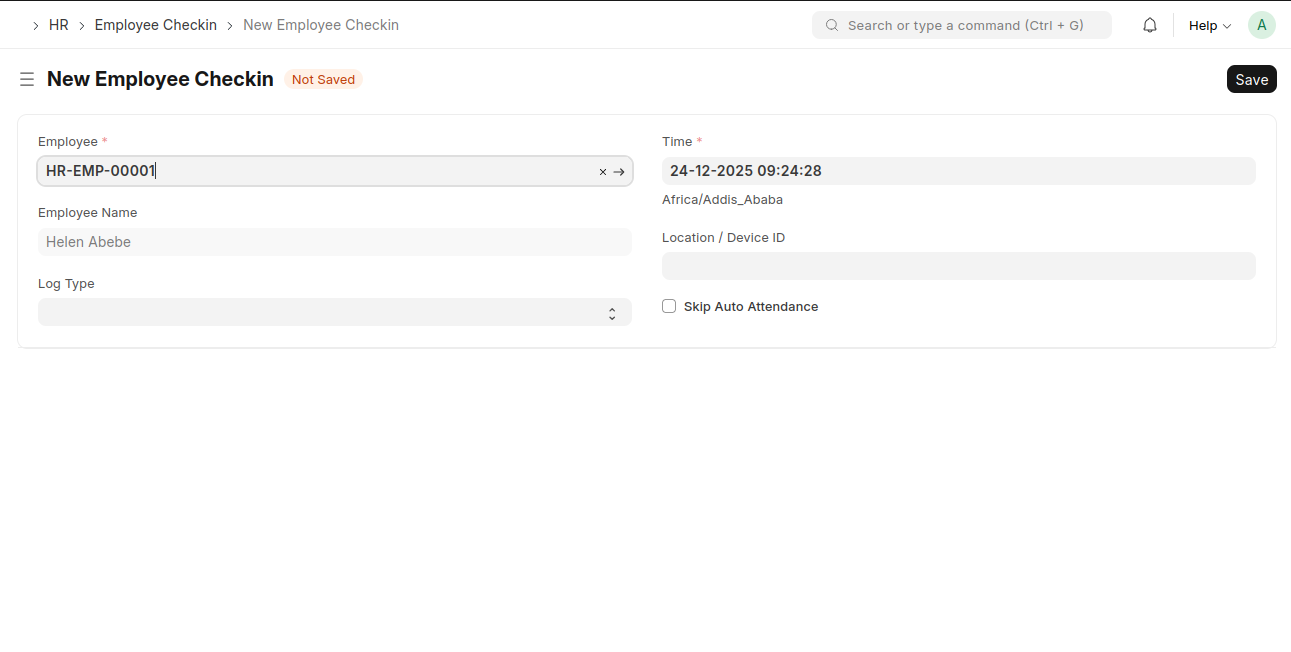
create an Employee Checkin
- Go to the Employee Checkin list and click New
- Select the Employee
- Set the Date and Time
- Select Log Type (IN / OUT)
- Add Location / Device ID (optional)
- Enable Skip Auto Attendance if required
- Click Save
Last updated 6 months ago
Was this helpful?