A Quality Action is taken on a Quality Review to correct unsatisfactory results or prevent them from happening.
To Access: Login to ERP > Desktop > Quality > Quality Action
Create Quality Action
- Go to Quality Action
- Click Add Quality Action
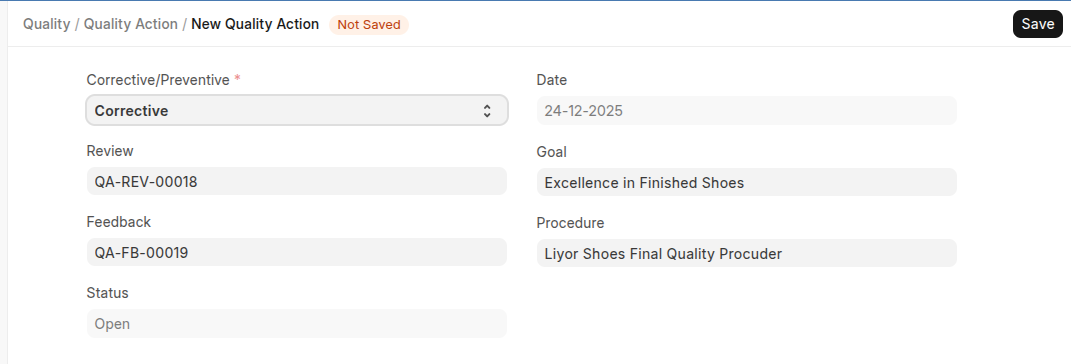
- Select Quality Review, Feedback, Goal and Procedure
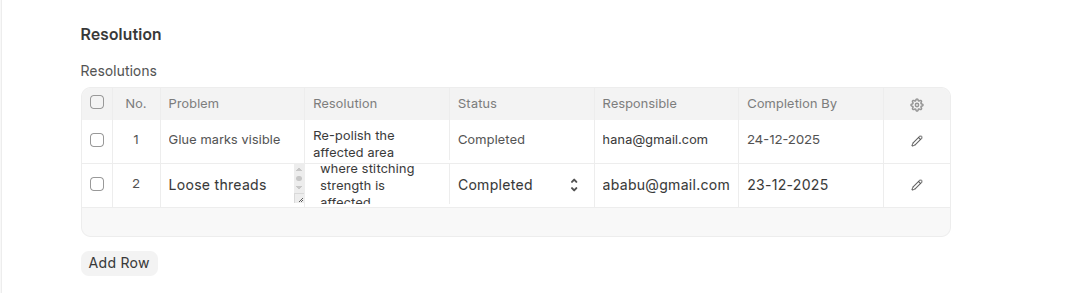
- In the Resolution table Add Problems with thier details such as Solutions, responsible, status and completion by.
- Click Save
Last updated 6 months ago
Was this helpful?