Leave Control Panel
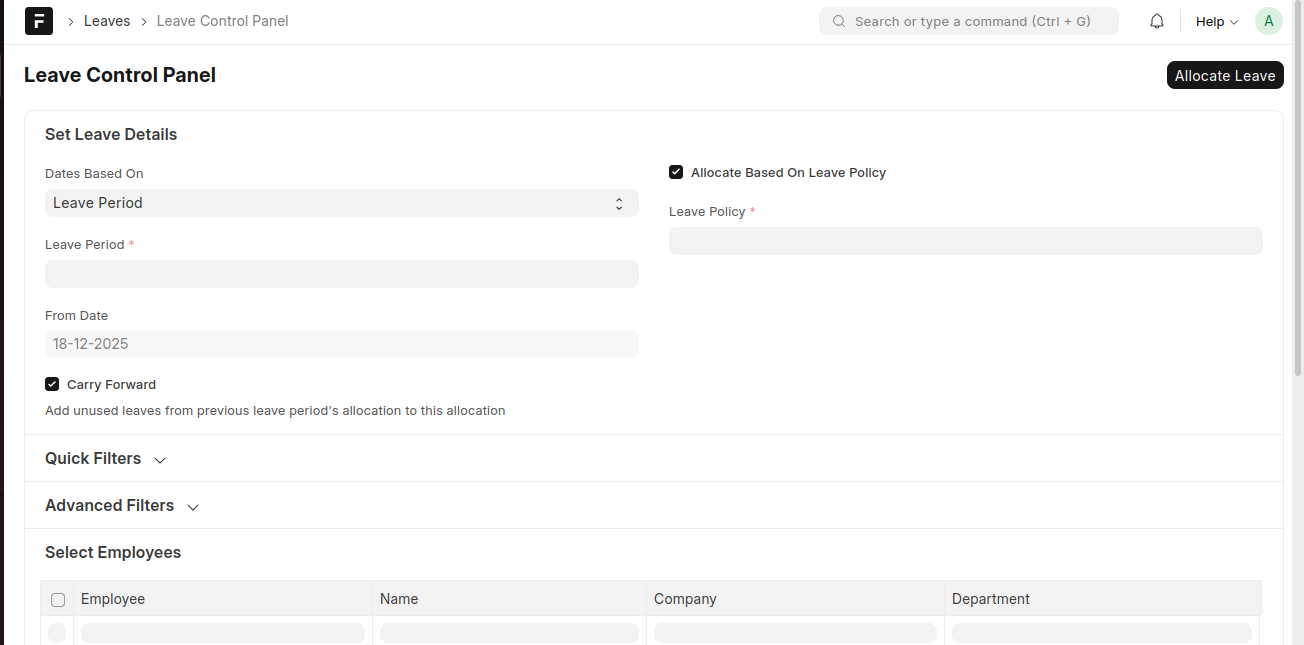
The Leave Control Panel allows HR managers to allocate leaves in bulk to employees based on a selected Leave Policy or Leave Type. This helps streamline leave allocation across multiple employees at once.
To access the Leave Control Panel, go to:
Login > Desktop > Human Resources > Leaves > Leave Control Panel
Allocate leaves using Leave Control Panel
- Open the Leave Control Panel.
- Under Set Leave Details, choose Dates Based On (for example, Leave Period).
- Select the Leave Period.
- Enter the From Date.
- Enable Carry Forward if unused leaves from the previous period should be carried forward.
- Enable Allocate Based On Leave Policy if allocation should follow an existing Leave Policy.
- Select the Leave Policy.
- Use Quick Filters or Advanced Filters to narrow down employees.
- From Select Employees, choose the employees for whom leaves should be allocated.
- Click Allocate Leave to complete the bulk allocation.
Last updated 6 months ago
Was this helpful?