A Job Card stores actual production information about a particular Operation performed on a particular Workstation. It is created from the Work Order and given to each of the Workstations in the manufacturing floor to start the production of an item with a certain quantity in each of the operations defined in the Work Order.
To Access:
Login to ERP > Desktop > Manufacturing > Job Card
How to Create a Job Card
Job Card for Operations is automatically created when a Work Order is submitted.
Start Job Card
- Once Job Card Created Automatically when work order submitted then its status become open
- Go to Job Card
- Select the Open startus Job card Based in routing sequences
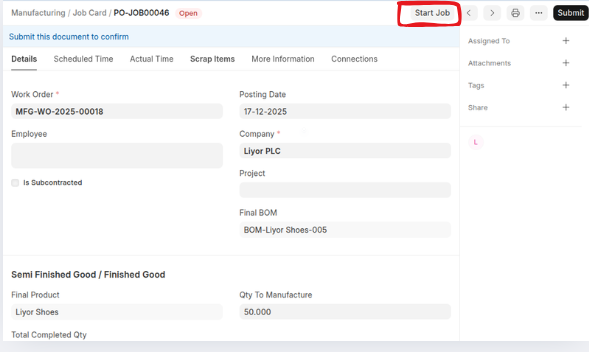
- Click start
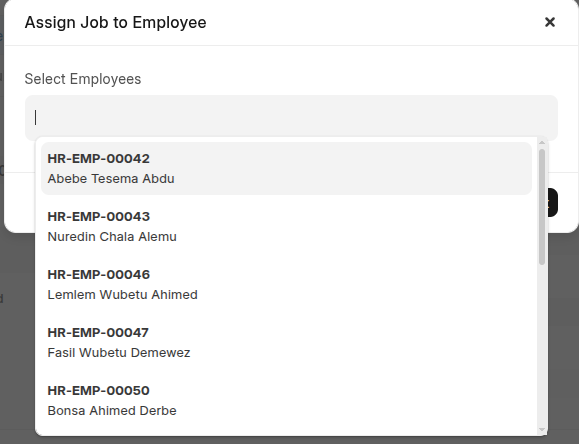
 then select an employee that work this job card then click Submit,
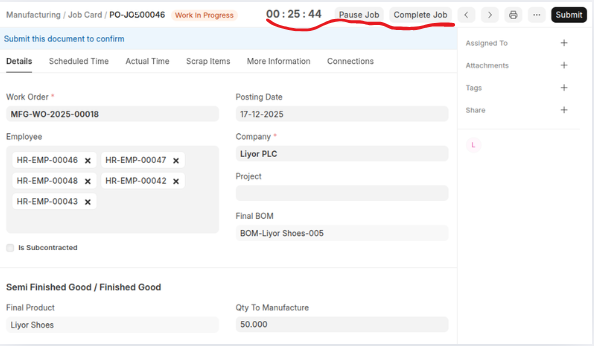
 Once you clicked start the status changed to work in progress and start to count actual time.
- once an employees complated thier work click complete job,
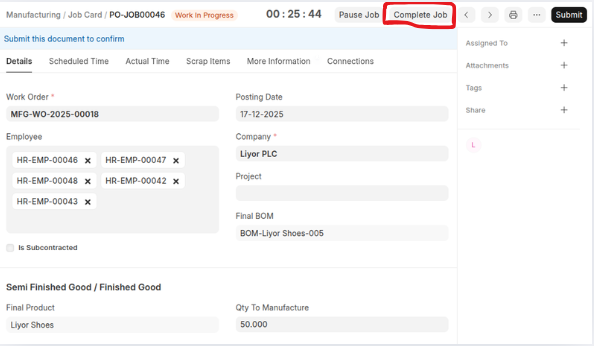 then confrim the Qty to Manufacture = Completed Quantity + Process Loss Quantity then click update
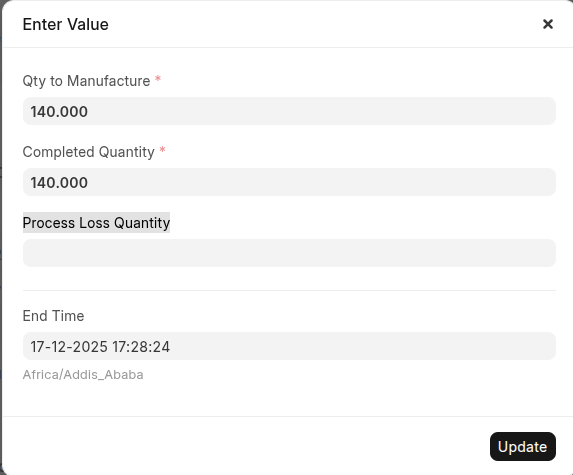
- Click Submit
Last updated 6 months ago
Was this helpful?