The Asset Movement feature used for transfer, receipt and issue an asset.
To Access: Login to ERP > Desktop > Assets > Asset Movement
Issue an Asset
- Go to Asset Movement
- Click Add Asset Movement
- Select Issue on the Pupose field
- Under the Assets table, select the asset to be issued and choose the receiving employee in the To Employee field.
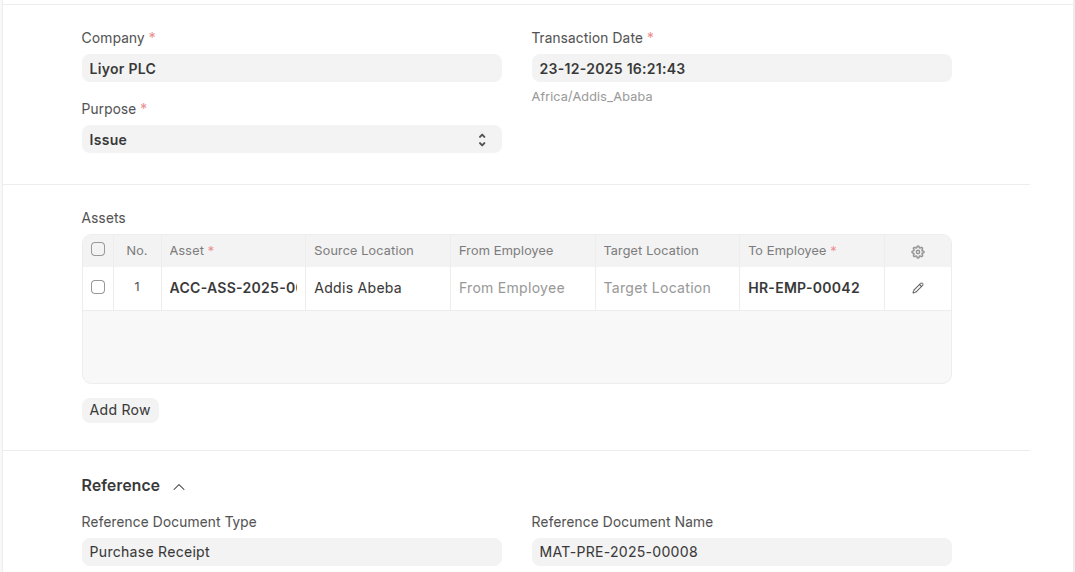
- You can set reference on the refeence section.
- Click Save
Transfer an asset
- Go to Asset Movement
- Click Add Asset Movement
- Select transfer on the Pupose field
- Under the Assets table, select the asset to be transfered and choose the location in the source location and target location field.
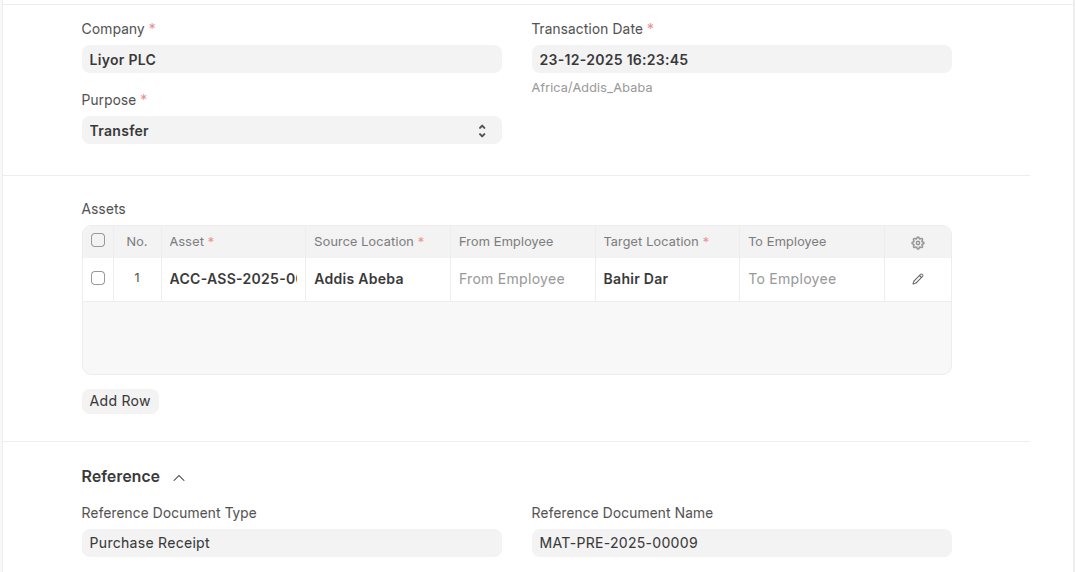
- You can set reference on the refeence section.
- Click Save
Receipt an Asset
- Go to Asset Movement
- Click Add Asset Movement
- Select receipt on the Pupose field
- Under the Assets table, select the asset to be receipt and choose the location in the target location field.
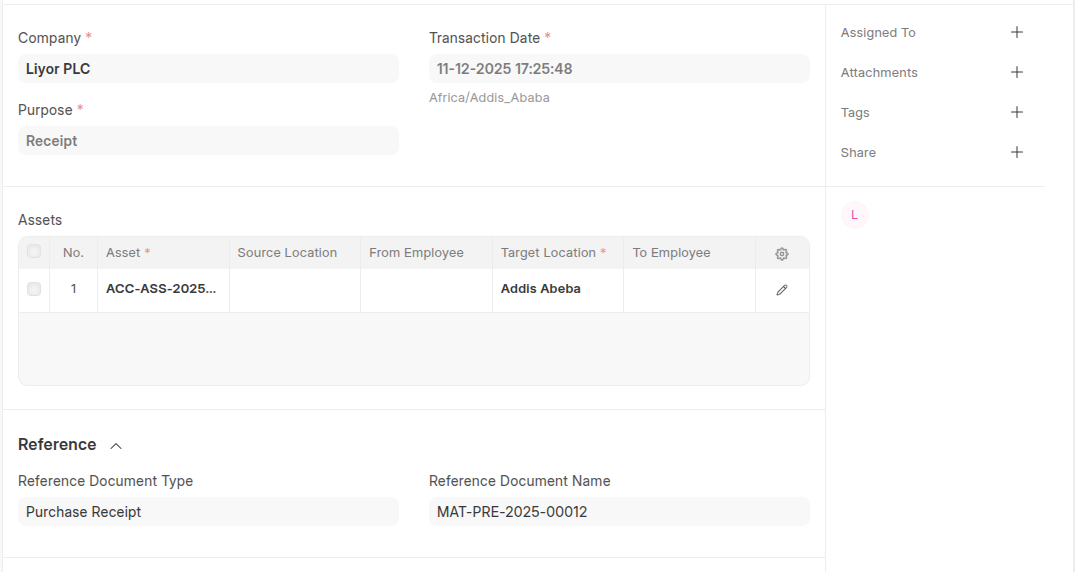
- You can set reference on the refeence section.
- Click Save
Last updated 6 months ago
Was this helpful?