Employees Working on a Holiday
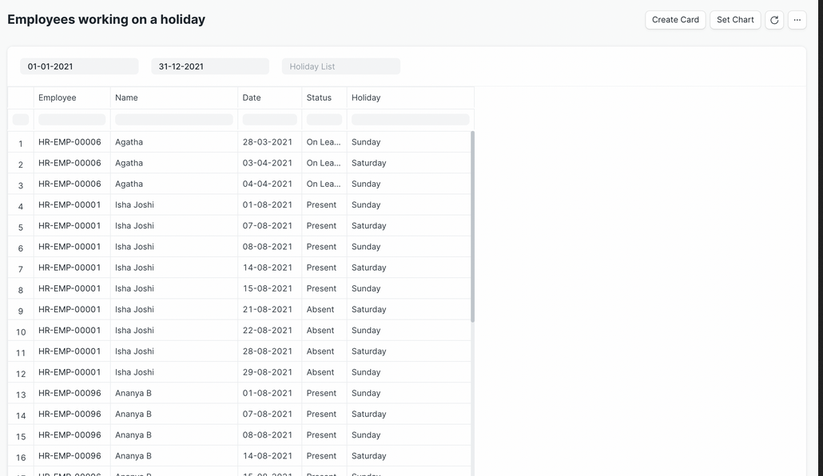
The Employees Working on a Holiday module displays the list of employees who are scheduled to work on holidays within a specified date range.
To access Employees Working on a Holiday, go to:
Login > Desktop > Human Resources > Employees Working on a Holiday
To use Employees Working on a Holiday
- Set the From Date and To Date for the holiday period.
- Select the Holiday List and Department to filter by.
Last updated 6 months ago
Was this helpful?