A Bill of Materials is a list of raw materials and sub-assemblies with quantities required to manufacture an Item. A BOM may also contain the manufacturing operations required to manufacture the Item and scrap and process loss.
To access:
Login to ERP > Desktop > Manufacturing > BOM
Create BOM
Before creating and using a BOM, it is advised that you create Item, operation, workstation and routing.
- Go to BOM
- Click Add BOM
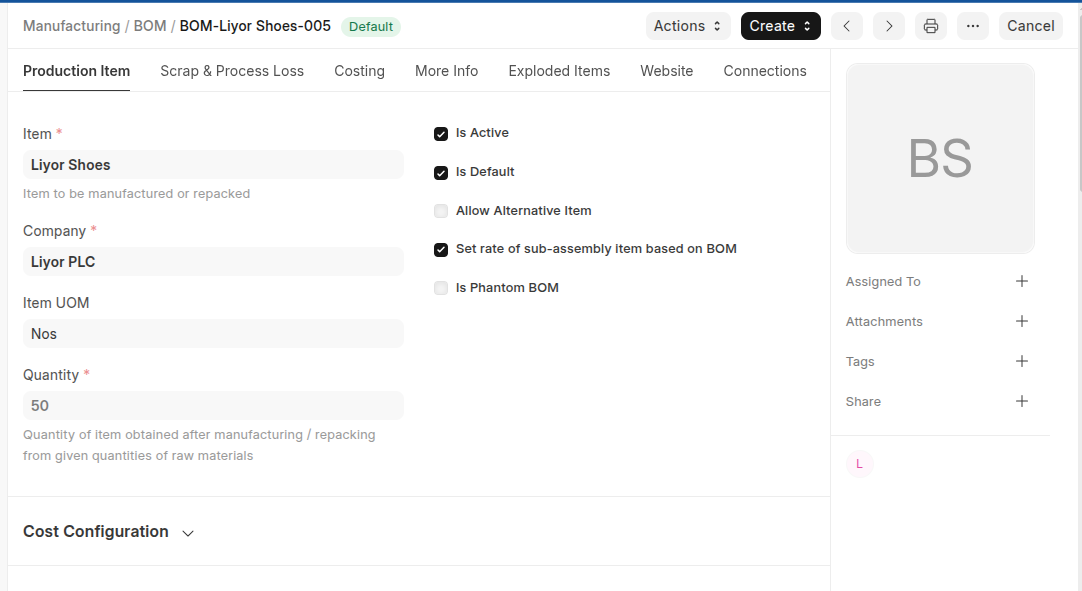
- Select an Item to be manufactured
- Set Quantity
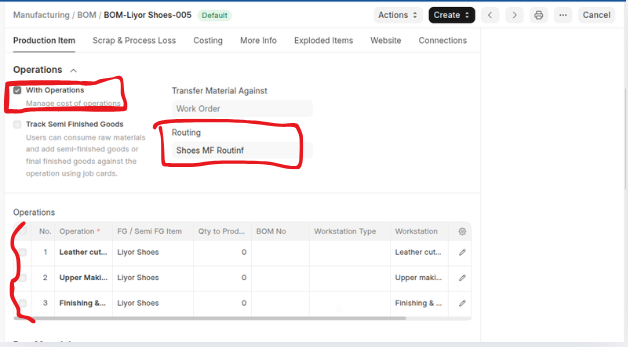
- Under Operations section enable With Operations then select Transfer Material Against (work order or job card), set routing. once you set routing all workstations fetched and dispalayed on the operations table.
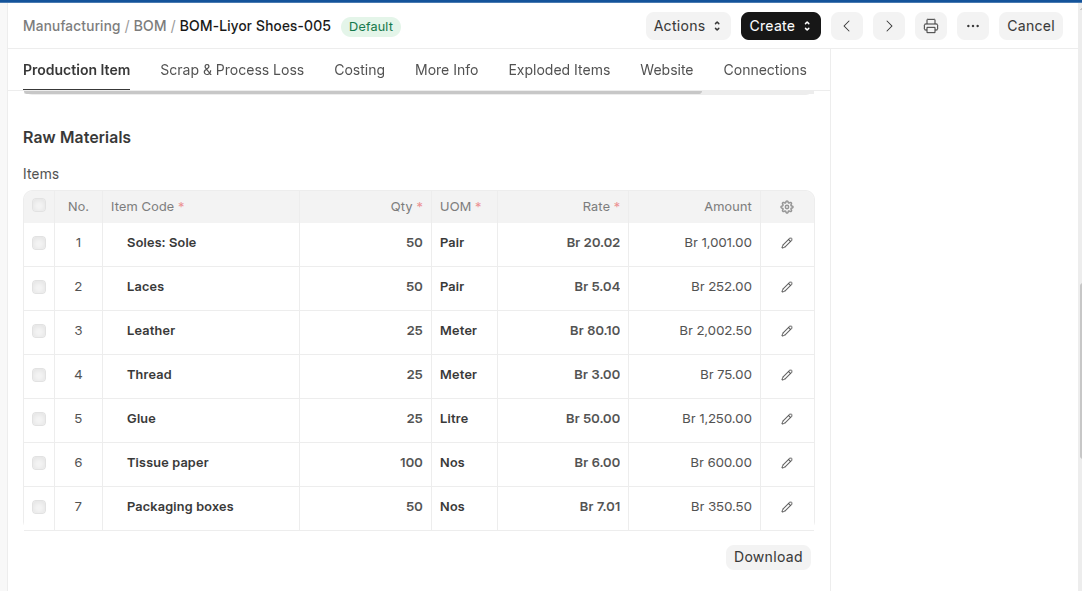
- Add All row material with thier quantity in the items table by using clicking Add row.
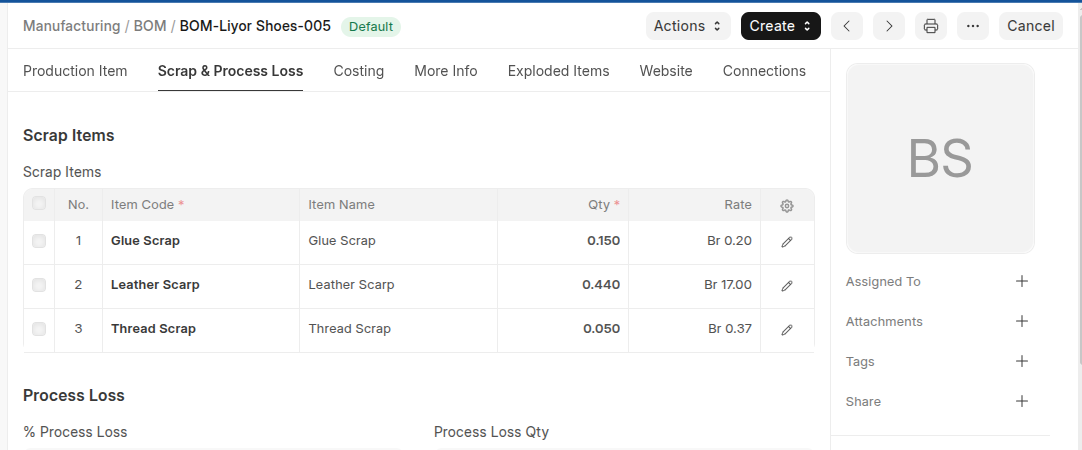
- In the scrap and process loss section click Add row then select scrap items with thier quantities.
- If quality required to inspect under more info section enable Quality Inspection Required then select Quality Inspection Template.
- Click Save then Submit.
Last updated 6 months ago
Was this helpful?