If you offer a service that requires renewal in a certain time period or you pay some monthly expenses, you can use the Subscription feature. The Subscription master captures all the details required for the auto-creation of Sales or Purchase Invoices.
To Access Subscription:
Login to ERP > Desktop > Accounting > Subscription
How to Create Subscription
Before creating and using a Subscription, it is advisable to create Subscription plan.
- Go to Subscription
- Click Add Subscription
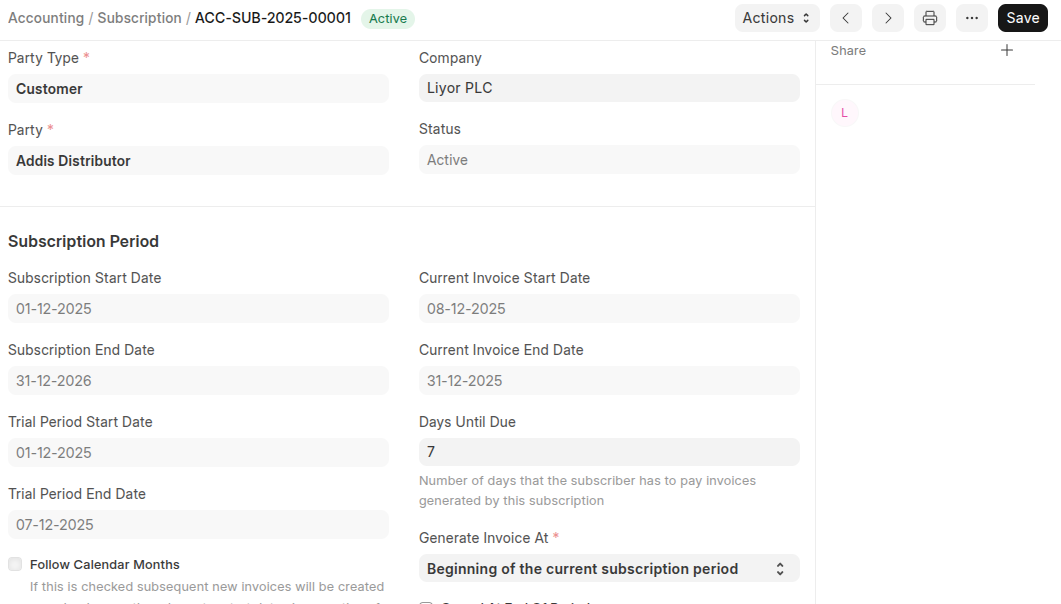
- Select Party Type as 'Customer' or 'Supplier' and select the party.
- Under Subscription period set Subscription Start Date, End date, Due date, trial period start date (if applicable)
- Select the date which invoice generated.
- Select Plans
- Select Taxes template
- You can also Set Discout if applciable and cost center.
- Click Save
Last updated 6 months ago
Was this helpful?